Wednesday, February 20, 2013

Makerbot News

Just a few things on the 3D printing front...

Ordered this upgrade kit, designed by wphthomas and packaged up (with permission) by scvette.  Looks like a lot of people (including Bre) are saying nice things about this.

tldr: more reliable filament feed.


http://www.thingiverse.com/thing:42250
https://groups.google.com/forum/#!topic/makerbot/-8PWUKprZ6g
http://www.thingiverse.com/thing:42250#comment-795520449

And notes from one of our resident printmasters:

I recently experimented with some different print settings and thought I would share my findings.  Mostly with black PLA, though the final part was in red. 
240 deg / 60 extruder speed - the print starts getting messy.  I can see the extruder pushing around a lot of mush.  Too hot, IMHO. 
240 / 80 - filament gets very thin.  Feeding seems to be struggling to keep up.  No bueno.
Ended up going with 230 / 60, my tried and true settings for print you see in the attached picture.
 
If anyone else is making large, flat prints, you know they can be really frustrating to get off the build plate.  So I picked up a plastic putty scraper at Home Depot.  It now lives by the printer.  Go slow and keep the putty knife flat to the plate to avoid snapping your part in half (not that I would know). 

Wednesday, February 13, 2013

Things of Beauty

 At last night's meeting of the Concord Model Engineers, Ding presented a model he was working on, and gave some pointers about how to cut spars and assemble wings.  He cuts a template from aluminum with snips and files it to shape, and then cuts around the template.
 He brought this model he was working on, building from scratch without plans.  It was so nice looking I took a couple of snaps with my phone cam.  I was so struck by not just the impeccable craftsmanship, but the beauty of the frames.
 The final model will be in a contest where the minimum weight is 40 grams.  Ding is shooting for 35 grams, so that there will be some leeway for repairs.
There's some pretty impressive modellers in the CME, many with decades of experience.  Ding gets a lot of respect from these guys, as you can imagine.

Enjoy!


Monday, February 11, 2013

Adding some LEDs to the ArctiBaby

 I put some LEDs onto the ArctiBaby, hoping to make orientation a bit more visible.  Here's the 2S connector for attaching to the battery. I put an 82 ohm on the wire, which split to 4 power wires to each of the LEDs.  I'm using 28 gauge servo wire.
 Here's my mockup to make sure I was getting the circuit right.  I put one resistor in series with four parallel LEDs.  I'm going to ask some gurus if that's the right thing to do, but it seems to be working.
 Here's how I attached the wiring.  I zip-tied the end of each wire (where the LEDs are) to the end of each arm, with the LEDs pointing out.  The front had two 5mm frosted amber LEDs, and the back had two 5mm clear reds.  I put some scotch magic tape over the reds to get some frosting effect. It didn't work very well.
 Here's the final result.  I'll give it a try tomorrow and see how the visibility is.  Right off the bat I can tell you that amber/red is a pretty poor color combination for orientation differentiation.
I was using my jumbo 500 random LEDs for $2 package.  About 90% of the LEDs are red, and most of the other 5mm LEDs were amber.  There were a few tiny (2mm?) green LEDs.  So that's how I picked the color scheme.  I've ordered some 5mm frosted blue LEDs; I'll replace one color or the other and see if that makes it better.

Saturday, February 9, 2013

Notes on proposed Drone Legislation

Media Certified Drone Hobbyist!
Here's some notes I'm putting together on the legislation being proposed in Texas by Rep. Lance Gooden (R, Terrell) [1], but I think they're applicable in other cases as well.

It's interesting to note that the citizens of Terrell, Texas and Berkeley, California seem to have a pretty consistent set of concerns regarding this issue. [2][3] (and as a personal aside, I used to live near Terrell in Garland, Texas, and now live just down the road from Berkeley in Piedmont, California.  In many ways so different, and yet surprisingly similar!)

I'll be updating this posting periodically.  Please add your comments below if you think there's some use cases, thought, ideas, etc, that might be useful.

My goal is that this will be a useful information/idea source for Representative Gooden in particular, and others interested in drone legislation in general.

My emphasis will be on hobbyist, non-commercial, and "emerging commercial" interests.  I'm assuming "Big Drone" will be capable of speaking for themselves (but hey guys, if you do need some help, give me a shout!)

Background and Disclosure

I'm an RC plane pilot and self-described "drone hobbyist."  I've been featured as such by the Wall Street Journal, NPR, the AP, and CBS (details here [6]).  I don't have any financial ties to the industry, other than as a customer and beta tester for several RC products.  I blog both here at eastbay-rc.blogspot.com and at diydrones.com. By day I'm a software engineer.

One thing that started me thinking seriously about the legislative aspects of drones was when my AP story appeared on both the Fox News and Huffington Post websites.  People's concerns were almost identical across the political spectrum!

Text of Legislation

http://www.legis.state.tx.us/tlodocs/83R/billtext/html/HB00912I.htm

Some Use Cases

Here are some use cases that may serve to clarify some of the goals of the legislation.  My emphasis, it bears to repeat, is on the "small" user.

(in progress)

1. Hobbyist flying in neighborhood, with camera.

It will be hard to engage in recreational flight without having people's private property in the background.  In general, this is incidental and looks about like what you would see on Google Maps. This should be a protected use.

Question:  at what point/altitude does the FAA cede authority?  It's clear that flying a private plane over a neighborhood at 500 ft isn't considered a problem by anybody.  How about flying an RC drone at 400 feet? 100 feet? 10 feet?

2. Peeping tom spying on neighbor's swimming pool for non-commercial use.

It seems obvious that few people will approve of this usage.  The tricky part will be in getting the right language that catches this, while not catching up someone innocently flying a small copter in their own back yard.  How does the law handle someone standing on a ladder in their own yard, peeping over a fence at their neighbor?

Is there a useful distinction between having a video downlink, and making a recording of that video? Or sharing of that video?

3. Paparazzi taking pictures/videos of celebrity's swimming pool for commercial use.

Again, this seems pretty obvious.  We don't want paparazzi doing this.  Since they will be selling the pictures, it seems this easily falls under the current prohibition on commercial use.  If commercial use is licensed, that would be the proper place for regulations to be specified.

It may be the case that a blanket requirement that the aircraft be flown in a safe manner and within the guidelines of a generally accepted flight organization could take care of most of these cases, since remotely flying a quadcopter (for instance) close enough to snap pool bikini pics is probably flying too close for safety.

4. Pro or semi-pro drone pilot taking aerial photos or video of house for real estate advertisement.

This seems like a reasonable thing to do.  Would licensing be necessary?  I would imagine so, in order to ensure proper insurance coverage.

It seems to me that licensing on par with a Ham license would be appropriate.  A license on par with a private or commercial pilot's license would be overkill -- both too expensive, and covering a lot of unnecessary information.

5. Pro or semi-pro engaged in product development base on flying models.

It would be a shame to accidentally block a new high-tech industry, especially as Texas seems a prime area for development -- lots of open, flat spaces, many potential customers in the farming, ranching, resourcee management fields, etc., and a good business environment for small companies.

It would be great if the regulatory environment for small commercial-use drones were such that it encouraged innovation and growth in this sector.

It seems that requiring a commercial "small drone" license with appropriate insurance would cover the case of most small businesses.  Is there a gap caused by the hobbyist working on a potential product in his garage shop?

6.  In general, flying over someone's property.

This might be broken down into the types of property.  Flying over someone's open field (say for example at a large church on a weekday) is different than flying next to someone's window.

My Analysis of This Legislation

Googling didn't reveal the text of the proposed regulation. I've contacted Rep. Gooden for a pointer, but if you know where it might be please leave a comment!  For now I'm going by what has been reported in several venues. [4][5]
update: Rep. Gooden's office has provided a copy of the text.  It's online here: [1]

(in progress)


Suggested Language

Based on the previous sections, here are some suggestions for how to clarify the proposed legislation.

(in progress)


References

[1] http://www.legis.state.tx.us/tlodocs/83R/billtext/html/HB00912I.htm

[2] Erk. My home town, Berkeley, wants to establish a "no drone zone"
[3] Berkeley rejects proposal to ban drones

[4] Lawmakers Aim to Limit Drones and Safeguard Privacy

[5] Texas "Anti Drone" Laws Would be Toughest in USA
[6] Press coverage


Thursday, February 7, 2013

MakerBot Replicator 2 Notes

Very exciting, I was able to try out the new MakerBot!  Here's some notes on getting things set up.

Note: Replicator 2 uses only PLA.

I'll come back and revise some of the missing parts (e.g. the menu instructions) after  I get a chance to go through the steps again.


Power on (switch on rear right)

Load Filament

  • snake the filament through the clear tube, from the back
  • detach clear tube from printhead
  • select menu:  utilities/filament/load (left arrow is back)
  • feed filament into head
  • you will feel the feeder take over
  • let filament go until it touches the baseplate
  • push the M button to stop filament feed
  • attach clear tube to printhead
Printing from computer
  • attach usb cable; usb cable falls between the two tables, fish out through the middle
  • run makerware, get your model ready
  • click "The Replicator 2" button
  • advanced parms:  set feed travel to 60 cm/min (default is 80) for better results
  • select raft and supports if you need them
  • see notes below on detaching
  • do something to disable sleep or you will blow your print.  on our macs, push the mouse to the bottom left corner.
  • click print.
  • when the unit starts, it will draw a line of filament from the front left corner to the start of the model.  watch for that, if this filament line is bad cancel your print.  

Printing from SD card
  • fiddle with your settings as above
  • we're still pre-7 firmware, so save as S3D
  • use an SD card of 2G or less
  • put your card in the slot
  • menu: utilities/filament/unload

To Detach
  • the baseplate will detach, push the rear tab back
  • blue painters tape can be put on the baseplate to ease detachment
  • lightly sand the tape for better adhesion, so the melted filament doesn't move around
Wrapping up
  • log piece(s) in logbook
  • unfeed filament (menu:)
  • power off
And here's my first test piece!  It's a sizer for metric nuts and bolts.  No numbers printed in this version though.  Next up:  camera carrier for Bixler 2.

Monday, February 4, 2013

Turnigy 9XR Programming Cable

Here's the programming cable you need to hook up your 9XR to your computer's USB port.  It's actually called an "AVR programmer" and can be useful for other things -- some quadcopter boards and microcontrollers will use this instead of USB.

USBasp AVR Programming Device for ATMEL proccessors

Sunday, February 3, 2013

er9x: uploading firmware

Here's how to flash the er9x firmware to your Turnigy 9XR.  Basic steps:

(note: after you write the firmware, you will get a throttle alert message.  this is normal, since the calibration settings have been cleared from writing the new firmware.  recalibrate your sticks and all will be well.)

  • attach data cable.  You might need to download some drivers -- some notes on this are upcoming.
  • download a copy of the firmware from this page: http://code.google.com/p/er9x
  • download and install the eepe software on your computer: http://code.google.com/p/eepe
  • in eepe, use the "write flash firmware to transmitter" option
  • reformat eeprom memory (radio does this automatically)
  • recalibrate your sticks and voltage meter


Monday, January 28, 2013

Turnigy 9XR: Radio Calibration

You need to calibrate two things when you're setting  up your 9XR -- sticks and voltmeter.

Both are in the radio setup menu -- Click the left arrow to get there

Sticks and Pots  -- setup menu 5 will give you a three-step process to calibrate the sticks and pots.  Don't over-stretch the sticks, just move them along the axes for the full range of motion. Be sure and center the pots by moving the blue notches to the topmost position.

Battery Voltage -- if you have a multimeter, you can calibrate the radio voltage display on setup menu 4. Most of the screen displays internal register settings and is used for debugging, but the bottom item is used to calibrate the voltage.  Attach a voltmeter to your battery, and match the radio's voltage level to that of you voltmeter.  Back on setup screen 1, you can see the voltage alarm level.  For LiPo batteries, 9.6 is a good value.


Friday, January 11, 2013

Turnigy 9XR with modules

Here's some quick pictures showing how my current 9x modules fit into the 9xr.  This is the FrSky module with whip antenna.  This is the module that I anticipate using the most, so I'm happy to report that it's a perfect fit and the antenna is nicely positioned.  Laying the radio down flat isn't a problem.
 Here's the original FlySky module, the one you have to unsolder from the 9x when you first get it.  Case fit is good.  As with the 9x, it's painful to see the weight of the case resting on the antenna, although as a practical issue it doesn't seem to present a real problem.  I used enough epoxy to patch a battleship, so I'm not too worried about it.  I possibly might replace this module with a store-bought FS TM002 module, which has a profile similar to the FrSky module.
 Here's the FrSky with the patch antenna.  Super-happy with how it contours to the case.
The odd duck in the bunch is the OrangeRX DSM module.  It's a tight fit in the case, so I use my pocketknife screwdriver to release one of the tabs (update: fit has loosened up, so no problem now).  The module align properly, so there's no stress on the Tx pins.
I'm not sure why HK positioned the antenna connector the way they did, but it's not in a good position.  The radio basically pivots on the antenna.  I'm not too concerned about this, since I plan on getting the 9xr DSM module whenever it comes out. (update: I'm still using the module, and it's continuing to work well. No problem with the odd antenna position!)

Saturday, January 5, 2013

Aerotestra Hugo: New Features

 Sean stopped by with a few of his latest improvement to the Hugo.  First up: Ardupilot Mega!  It flies nicely with the default settings.

Also very nice, an external power switch for disconnecting the battery power.
 Here's a closeup of the APM 2.5 holder.  It's really nice... the unit fits into the holder snugly, the GPS unit screws onto the top, and the receiver velcros onto the bottom.
 And a sonar unit has been added.  It was an old Sparkfun unit that Sean had sitting around, model number unknown. We haven't configured the APM to use it yet.
 The USB cable fits nicely in the ventilation gap.  Sean's going to figure out something to attach to the cable to stiffen it up so it will be easier to plug in without removing the cover.
And it looks quite fine in its new case as well!


Turnigy 9x: Enspringing the THR stick

Over on RCG, information about adding a spring to the throttle gimbal.


Turnigy 9X Self-Centering Lever, $5 postpaid

and one of these springs:


Turnigy 9/XR with FrSky Telemetry, Shopping List

Here's a complete shopping list.  (update: this post used to have "telemetry" and "no telemetry" options, but FrSky discontinued their non-telemetry line.  I've updated the post to remove links to the discontinued non-telemetry items.  Note that even if you get the telemetry-enabled units, they work just fine without using the telemetry.)

First, you need the "no module" version of the transmitter.  Get the "Mode 2" (left hand throttle) unless you know otherwise.


Here's two good LiFe batteries.  The 2100 has a bigger capacity, but IMO the 1500 is fine for many hours and a better value.  That's the one I've used before.  You can also use just about any 3S battery if you've got a spare, so you can consider this "optional but recommended."  I've been using a 3S 500 mAh and it's been great.
Here's the telemetry module with one receiver, and extra receivers.  The module comes with one receiver.  Get enough receivers so you have one installed on each model.

Note: everything below is optional.

Here's the telemetry display screen.  It plugs into your module. You need to figure out a way to attach it to your transmitter.  Most people attach it to the transmitter handle.


Here's a better whip antenna and a patch antenna.  The higher the dB, the better range, and the more directional.  Neither of these are very expensive, so they're probably worth it if you're doing FPV or autopilot stuff.

Here's the Voltage sensor.  It's the only sensor that doesn't need the sensor hub.  It's the sensor that makes the most sense (haha!) to get.
Here's the sensor hub and some other sensors.
[shopping note:  all the above links have an affiliate code which gives me a small credit when you use them, at no cost to you.  Some people are bothered by the concept of affiliate codes... if you are one of them, please feel free to remove the affiliate code!]

Thursday, January 3, 2013

Wednesday, January 2, 2013

Deshaker for Virtualdub

If you've ever seen video stabilization that works by shifting the frame around, there's a good chance it was stabilized by Deshaker for Virtualdub.

Virtualdub runs on Windows, but I think I might try it out and see how Deshaker works on a couple of my videos.  Here's a sample from some Apollo footage.  They could put a man on the moon, but they couldn't get him to hold his camera still!


Saturday, December 29, 2012

er9x Tutorial: Mixing (good for Turnigy 9xr)

Here's some notes to go along with the tutorial/video for er9x mixing.  Some people have said that they thought er9x was more complicated than traditional Tx software, but in many ways I think it's simpler.

Here's a few examples that should cover most of what you need to know to make good use of the mix screen, with accompanying video tutorial. (longer version to be uploaded later)


Mixing a Stick to a Channel


This is the simplest mix you can make.  Here's Channel 1, mapped 100% from the rudder (the "source").  The "+" is just a redundant note that  it's positive 100%; all percentages are shown with the sign.
  • CH01 +100%RUD 
Set this up, and you'll see the servo attached to channel 1 moves with the rudder stick.

The default 4-channel model definition is nothing more than the four sticks mixed to the first four channels.:
  • CH01 +100%RUD 
  • CH02 +100%ELE 
  • CH03 +100%THR 
  • CH04 +100%AIL

Mixing a Stick to Two Channels


Now let's do something that's not especially useful in a practical sense, but will be handy for this tutorial.  We'll map the rudder stick to two output channels.
  • CH01 +100%RUD
  • CH02 +100%RUD 
Moving the rudder stick now moves the two servos attached to channels 1 and 2.  In some of the following examples, we'll modify channel 2 and leave channel 1 unmodified as a reference.


Reversing


There's a reversing option on the Limits menu, but it's not really necessary.  We'll reverse channel 2 by changing the +100% to -100%.
  • CH01 +100%RUD
  • CH02 -100%RUD 
Now the two servos move in opposite motion.


Reducing Rates


Change channel 2 to +50%.
  • CH01 +100%RUD
  • CH02  +50%RUD 
Now the two servos move in the same direction again, with channel 2 at 50%.  Of course, you could have a reversed lower rate throw by making the percentage negative.


HALF and FULL: Confusing yet Powerful Switch Controls


In order to do anything with switches, we'll use the HALF and FULL inputs.  By themselves, they don't do much of anything.  Let's channels 1 and 2 to to the sources HALF and FULL, respectively:
  • CH01 +100%HALF
  • CH02 +100%FULL 
This results in both channels 1 and 2 being output at a value of 100%.  Not particularly useful, so let's mix in the GEAR switch to both of these.  Keep the default Multiplex setting of ADD.

  • CH01 +100%HALF Switch(GEA)
  • CH02 +100%FULL Switch(GEA)

Now we see the channels acting like switches.  As we toggle the GEAR switch, we see channel 1 switching between 0% and 100%; channel 2 switches between -100% and 100% (just as we typically want most switches to behave for real).

So, what's happening?  Unlike a stick which varies smoothly from -100% to 100%, HALF returns either 0% or +100%, depending on the switch.  Likewise, FULL returns either -100% or 100% (the exact value can be modified by the Weight: parameter, but we'll just use 100% to keep things simple).

So, with the GEAR switch specified, the channels output -100% and 0% respectively when the switch is off, and both output 100% when the switch is on.  To reverse any of the switches, just select the switch name that starts with "!", such as "!GEA".


Setting up a Switch


So, the standard way to set a simple on/off toggle switch is to use the FULL input.  For example, to map the GEAR switch to channel 5, we would do this:
  • CH05  +100%FULL Switch(GEA) 
Note that you can specify a delay and a speed in seconds.  The speed is especially nice for things such as flaps and landing gear, since you can get a smooth scale operation.


Mixing a Stick and a Switch ("throttle enable")


Now let's mix a stick and a switch.  As a practical example, we'll set up the THR switch to enable the throttle stick.  If the THR switch is off, the throttle stick is ignored. This is a good safety feature; when you're plugging in your batteries or carrying the model before you've unplugged your batteries, you won't have to worry that the radio will bump your chest and spin up the prop.

To do this:
  • Map the throttle stick to the output channel, as covered above.
  • Specify the THR switch.
  • Set the Multiplex parameter to REPLACE
The Multiplex parameter can be one of ADD, MULTIPLY, or REPLACE.  We specify REPLACE so that when the THR switch is off the output value which would normally be specified by the stick position is replaced by -100%.  So, no matter what the stick position, the throttle can't be activated.
  • CH03   +100%THR
  •      R -100%FULL Switch(!THR)
Combining Multiple Mixes ("dual rates")


Finally, let's look at what we need to do to set up dual rates.  This is pretty simple.  You can add multiple mixes to the same channel.  The switch specifies which mix takes effect (it can actually be a lot more sophisticated, but we'll cover that later).  So, this mix:
  • CH01 +100%AIL Switch(AIL)
  •       +80%AIL Switch(!AIL)
follows this logic:
  • If the AIL switch is in the normal position, map the AIL stick at 100% to channel 1.
  • If the AIL switch is in the toggled position, map the AIL stick at 80% to channel 1.
The nice thing about er9x is that you can use a single dual rate switch to manage multiple channels.  You could repeat the above lines for the elevator and rudder channels, both of them specifying the AIL switch.


But Wait, There's More!


There's quite a bit more that can be done with er9x mixing, but this covers most of what you need to know.  If you're interested in seeing some more, drop me a line!

Micellanea

Lynxmotion sells Aurora 9 gimbals.  "these gimbals feature high sensitivity, 8 ball-bearings, and adjustable tension. You can enable or disable self centering on both axis and enable ratcheting on the Y axis."  Somebody mentioned they can be fit onto a 9x by removing a pair of tabs and soldering the wires.


Servo City has pin crimpers at a pretty good price.


FMS Simulator Universal USB Cable.

Sunday, December 16, 2012

Flying in the Rain

I've been chatting with Sean Headrick of aerotestra.com and he brought over his latest thinshell model, the Hugo to fly.  It was pouring down rain, but no problem!  Everything but the props are enclosed in the body, including the motors.  There's an interior shelf that holds 2 3S 2750 batteries.  Sean gets about 20 minutes of flying around (not just hovering) with this.


The units look really nice, and are pretty light.  The frame is 440 grams.  It's two halves are permanently bonded together, and each arm has a hatch for accessing the motors and ESCs. There's a top shelf in the center for the flight controller, receiver, and any other electronics.  I'll be helping him with some testing and flight controller selection/tuning.

As a bonus, we did some crash tests.  Quite sturdy!  The last crash took a prop off and pulled a motor loose; Sean's got a new double-cup design that will strengthen up the motor mount.

Here's some videos... flying around in the rain, and then crashing the unit to see how much of a hit it could take.  To best see the rain, watch in HD!


Tuesday, December 11, 2012

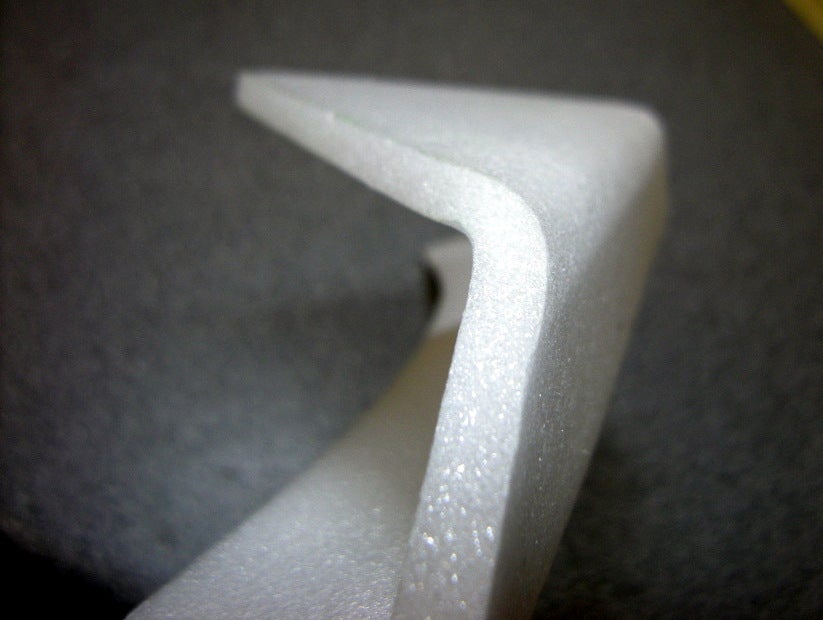
Bending Depron/EPP with a Heat Gun

JoseIco has an interesting way of bending foam with a heat gun at 300 degrees C.  He notes the wing tips are light, clean, stiff, and neat.


Monday, December 10, 2012

APM2.5 Case on Thingiverse

Designer barneyj notes:
The mounting tabs were designed to fit on a Gaui 330x frame. I used micro servo mounting screws to screw the shell together. I made a cutout for the "ABC" status LEDs but I missed the "TX/RX" LEDs. I might incorporate it in the next iteration.
http://www.thingiverse.com/thing:36883

Friday, December 7, 2012

Weekly Miscellania

ChineseJade.com is a highly regarded source for Walkera parts. $5 worldwide shipping.  Link is to the LB page.


Lightweight foam canopy replacements for nanoquads.  Cuts weight in half, made from 1/2in foam.


ServoCity has 2-axis spring-loaded joysticks... just the thing if your're thinking of making a tank-like controller!

Wednesday, December 5, 2012

It's a 3D world, and we're just printing in it!

Or rather we will be...  getting access to a Makerbot when it's delivered in January, so I'm going to stash some notes here.

  • Past experience:  Z Corp color printer, used to print the maquettes for our Zoetrope.
  • Thingiverse id: marhar.
  • Makerware here.  This takes your STL files and generates gcode which is sent to the printer.
  • What modelling software to use?  Around here everybody has of course experience with Maya.
  • Makerbot has a guide  that lists lots of options.  Chris Anderson uses 123D, so I guess I'll start with that.  If my stuff looks bad blame him!


Tuesday, December 4, 2012

EzFly R3 Released!

Motorhead has released a new version ("R3") of the EzFly.  It moves the motor forward and has an extended nose, both features which make it easier to get the CG forward.

EzFly Thread, check out the R3 plans in post 1.

FancyFoam has kits:
    Original - P51 - Spitfire
update: dead links... just go to fancyfoam.com!

blogodex = {"toc" : "EZFly", "idx" : ["motorhead", "Fancy Foam"]};

Thursday, November 29, 2012

Got the ar.drone node.js stuff running!

More details to follow, but some quick notes on what we needed to do to get things up and running.  Got up to the suggested first steps, having an application capture video from the ar.drone front camera and do facial recognition.  Images were fed out through a node.js server, which I thought was a pretty clever idea. I'm so happy in the picture coz it took about an hour to figure out how to get the image displayed.  If you're in node.js, serve it up in a browser!

In case you can't puzzle it out, the circled object is Andreas' face, as detected by Open CV. Detection parameters were set to "boyish good looks" of course!

So, we're on track for the droneolympics on Saturday!  Andreas is working on a PID package which looks pretty good so far. I was pretty happy with our progress... we basically started on Wed and last night was the first time we had an ar.drone to work with.

Here's a video of the first test flight, running the example ardrone program.


Following is some blabbage on what I did to get the software installed and running on a mac.  After spending 30-40 minutes trying to figure out how node.js packages work, I ended up hardcoding paths to everything... I'll try and fix that later.


NODEJS
    node-v0.8.15.tar.gz
    configure --prefix=/Users/mh/nodejs
    make; make install
    export PATH=/Users/mh/nodejs/bin:$PATH

OPENCV
  OpenCV-2.3.1a.tar.bz2, as per nodejs opencv docs
  edit CMakeLists.txt
  ## change /usr/local to /Users/mh/nodejs
  cmake -G "Unix Makefiles"; make; make install
  export DYLD_LIBRARY_PATH=/Users/mh/nodejs/lib

ARDRONE
  npm install git://github.com/felixge/node-ar-drone.git -g

NODEJS OPENCV

  ## https://github.com/peterbraden/node-opencv
  ## requires OpenCV 2.3.1
  npm install opencv -g
  ?? export PKG_CONFIG_PATH=/Users/mh/nodejs/lib/pkgconfig